How to Get Your Business Noticed on Google in Delhi NCR
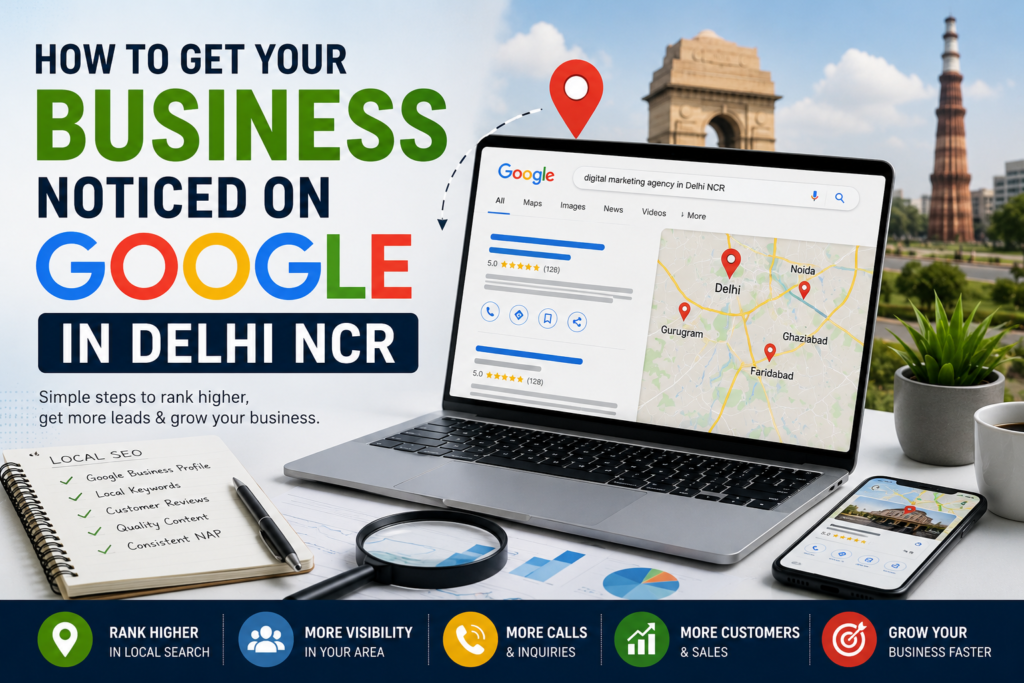
Do you want more people to find your business online? If you own a small business in Delhi NCR, Google can help you reach local customers. Many people search online before they visit a shop or hire a service. Your business needs to appear when they look for what you offer.
Local SEO in Delhi NCR can help your business appear in local search results. It can also help you build trust and get more calls, visits, and leads..
In this guide, you will learn simple ways to get your business noticed on Google.
1. Create a Google Business Profile
A Google Business Profile helps people find your business on Google Search and Maps. It is a useful tool for local businesses.
First, create or claim your profile. Then, add your correct business name, address, phone number, and website. Choose the right business category. Add your opening hours and list the services you offer.
Keep your details up to date. If your phone number or address changes, update your profile.
A complete profile helps customers learn about your business. It also makes it easier for them to contact you.
2. Use Local Keywords on Your Website
Keywords are words that people type into Google. Local keywords tell Google where you offer your services.
For example, a salon in Noida may use “salon in Noida.” A digital marketing agency may use “digital marketing agency in Delhi NCR.”
Add these keywords to your website title, headings, and page content. Use them in a natural way. Do not repeat the same keyword too many times.
Create useful pages for your main services. You can also create location pages if you serve different areas.
This helps Google understand what your business does and where you work.
3. Make Your Website Easy to Use
Your website should be simple and clear. Visitors should find the information they need without much effort.
Make sure your website works well on mobile phones. Many local customers search on their phones.
Use clear headings and short paragraphs. Add your contact details and a visible call-to-action button. For example, you can add “Call Now” or “Contact Us.”
Your website should also load fast. Slow pages can make visitors leave before they learn about your services.
A good website can help turn visitors into customers.
4. Collect Genuine Customer Reviews
Customer reviews can help people decide whether to trust your business. Good reviews can also make your Google Business Profile more useful.
Ask happy customers to share honest feedback. You can send them a review link after they buy a product or use your service.
Reply to both positive and negative reviews. Thank people for their feedback. If a customer has a problem, respond in a polite and helpful way.
Never buy fake reviews or offer rewards for positive reviews. Focus on real customer experiences.
5. Add Photos and Business Updates
Photos help people learn more about your business. They can show your shop, team, products, or work.
Add clear and recent photos to your Google Business Profile. Make sure they match your real business.
You can also share useful updates on your profile when the feature is available. Tell people about new services, special events, or changes in opening hours.
Keep your photos and details fresh. This gives customers a better idea of what to expect when they contact or visit you.
6. Create Helpful Content for Local Customers
Blog posts can help your website answer common customer questions. They also give you more ways to appear in search results.
For example, a digital marketing agency in Delhi NCR can write about local SEO, website design, and online ads.
A salon can write about hair care. A restaurant can share details about its menu or food choices.
Choose topics that your customers want to learn about. Use clear language and add useful tips.
Link your blog posts to related service pages. This helps visitors explore your website and learn how you can help them.
7. Keep Your Business Details Consistent
Your business details should match across your website and trusted business listings.
Use the same business name, address, and phone number wherever they appear. Check your details on local directories and social media pages.
Wrong or old information can confuse customers. It may also make it harder for them to contact you.
Remove old details where possible and update your current information. If your business serves customers at their location, set up your Google Business Profile based on Google’s rules for service-area businesses.
8. Track Your Results
SEO takes time, so check your progress often. Google Business Profile performance data can show useful details about how people find and interact with your profile.
Google Search Console can help you see which searches bring people to your website. It can also show clicks, impressions, and indexing issues.
Review your results each month. Look for pages that get visits and keywords that bring useful traffic.
Use this information to improve your website and content. Focus on the changes that help your customers most.
Conclusion
Getting your business noticed on Google in Delhi NCR starts with a few simple steps. Create a complete Google Business Profile, use local keywords, improve your website, and collect honest reviews.
Keep your business details correct and share helpful content. Track your results and improve your online presence over time.
Local SEO does not bring results overnight, but steady work can help more local customers discover your business.
Need Help Growing Your Business Online?
kayninja helps businesses improve their online presence through SEO, website design, social media marketing, and digital advertising.
Visit our Services page to learn how we can help your business reach more people online.
Frequently Asked Questions
1. How can I get my business on Google?
Create or claim a Google Business Profile. Add correct business details, choose the right category, and verify your business when asked.
2. What is local SEO?
Local SEO helps your business appear in search results for nearby customers. It uses business listings, relevant local content, and website improvements.
3. How long does local SEO take?
Results vary by business, competition, and location. It may take several weeks or months to see clear progress. No one can promise a fixed ranking time.
4. Is Google Business Profile free?
Yes, creating and managing a Google Business Profile is free. You do not need to pay Google to create a profile.
5. Can a small business rank on Google?
Yes. Small businesses can appear in relevant local search results. A complete profile, useful website content, genuine reviews, and accurate business details can help.
If you want to know more about us you can contact our team.